# Automatically create documents

Portant can automatically check and make additional documents when a new response is received via a Google Form. **‍**

**In this article you will learn how to:**

1. Auto create documents when a Google Form is submitted

#### Auto create documents when a Google Form is submitted

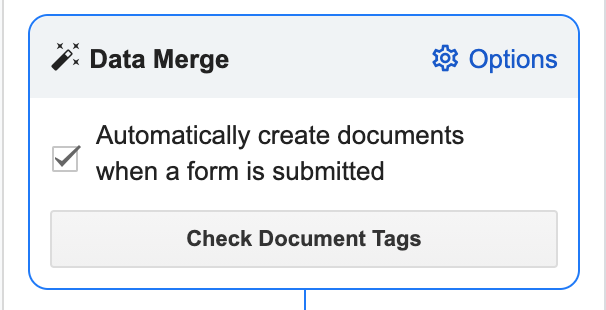
To turn this on automatically creating documents any time a form response is submitted, select the checkbox in the Data Merge box.

<figure><img src="https://uploads-ssl.webflow.com/5f3b57b5405f8bd0f98b5e14/60f80a648cce2d067c61382c_Screen%20Shot%202021-07-21%20at%209.51.38%20pm.png" alt=""><figcaption></figcaption></figure>

When this is on an indicator appears above the 'Data Sources Table' like this:

<figure><img src="https://uploads-ssl.webflow.com/5f3b57b5405f8bd0f98b5e14/60f80b1d49906e99ce0991b9_Screen%20Shot%202021-07-21%20at%209.54.26%20pm.png" alt=""><figcaption></figcaption></figure>

#### Feedback and feature suggestions

We created Portant in 2021 and the feedback we have received since then has been very helpful and greatly appreciated. If you have any feedback please feel free to send us an email at <contact@portant.co><br>

Thanks,<br>

Blake and James


---

# Agent Instructions: Querying This Documentation

If you need additional information that is not directly available in this page, you can query the documentation dynamically by asking a question.

Perform an HTTP GET request on the current page URL with the `ask` query parameter:

```
GET https://docs.portant.co/portant-docs/portant-add-ons/data-merge/how-to-set-up-a-google-forms-source/automatically-create-documents.md?ask=<question>
```

The question should be specific, self-contained, and written in natural language.
The response will contain a direct answer to the question and relevant excerpts and sources from the documentation.

Use this mechanism when the answer is not explicitly present in the current page, you need clarification or additional context, or you want to retrieve related documentation sections.