Cancel your subscription
You can cancel a paid Portant plan yourself, at any time, from your billing settings.
Cancel your plan
- Go to Settings → Billing.
- In the Current Plan section, click Manage.
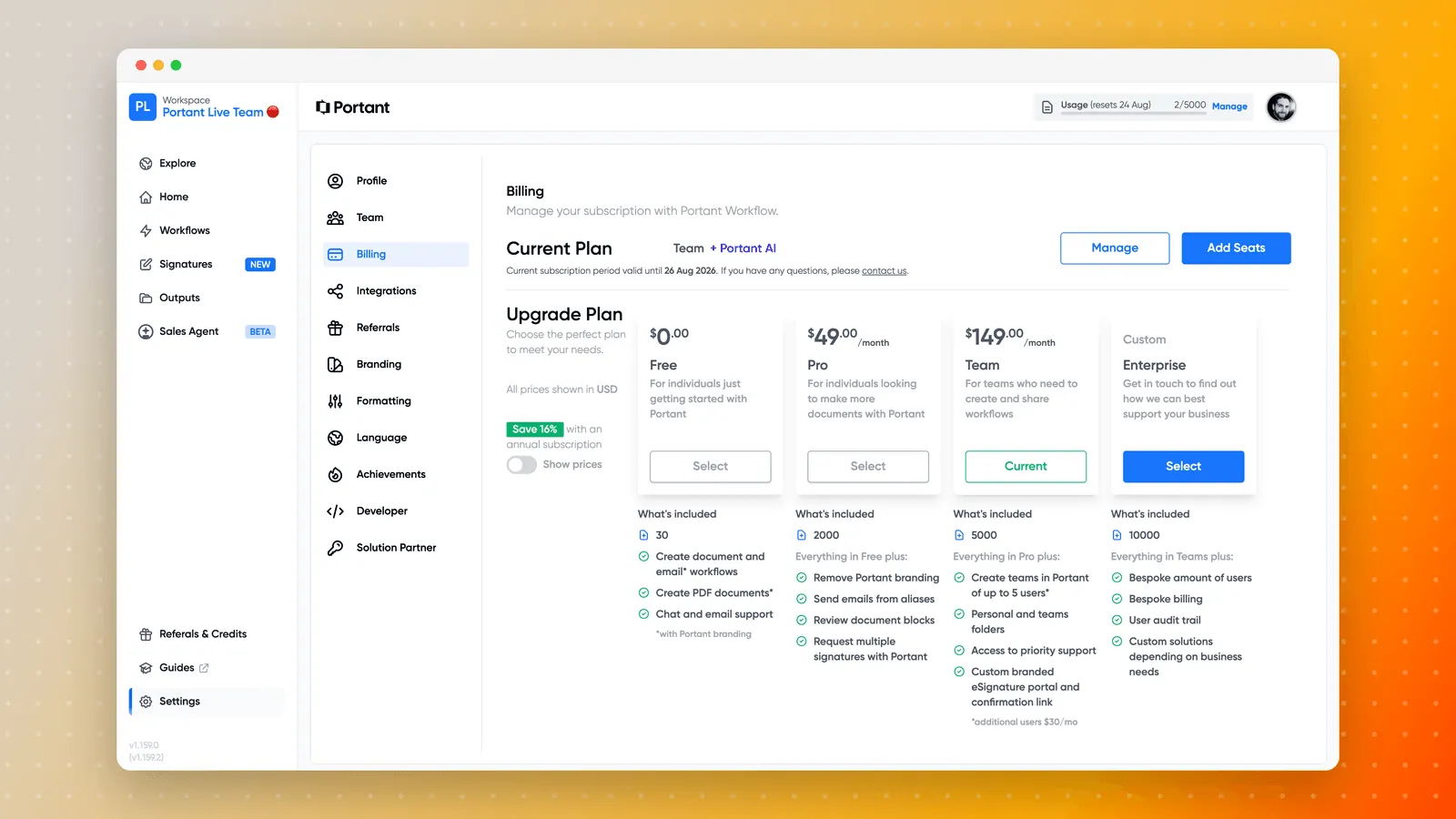
- The billing portal opens in a new tab. Click Cancel or pause subscription.
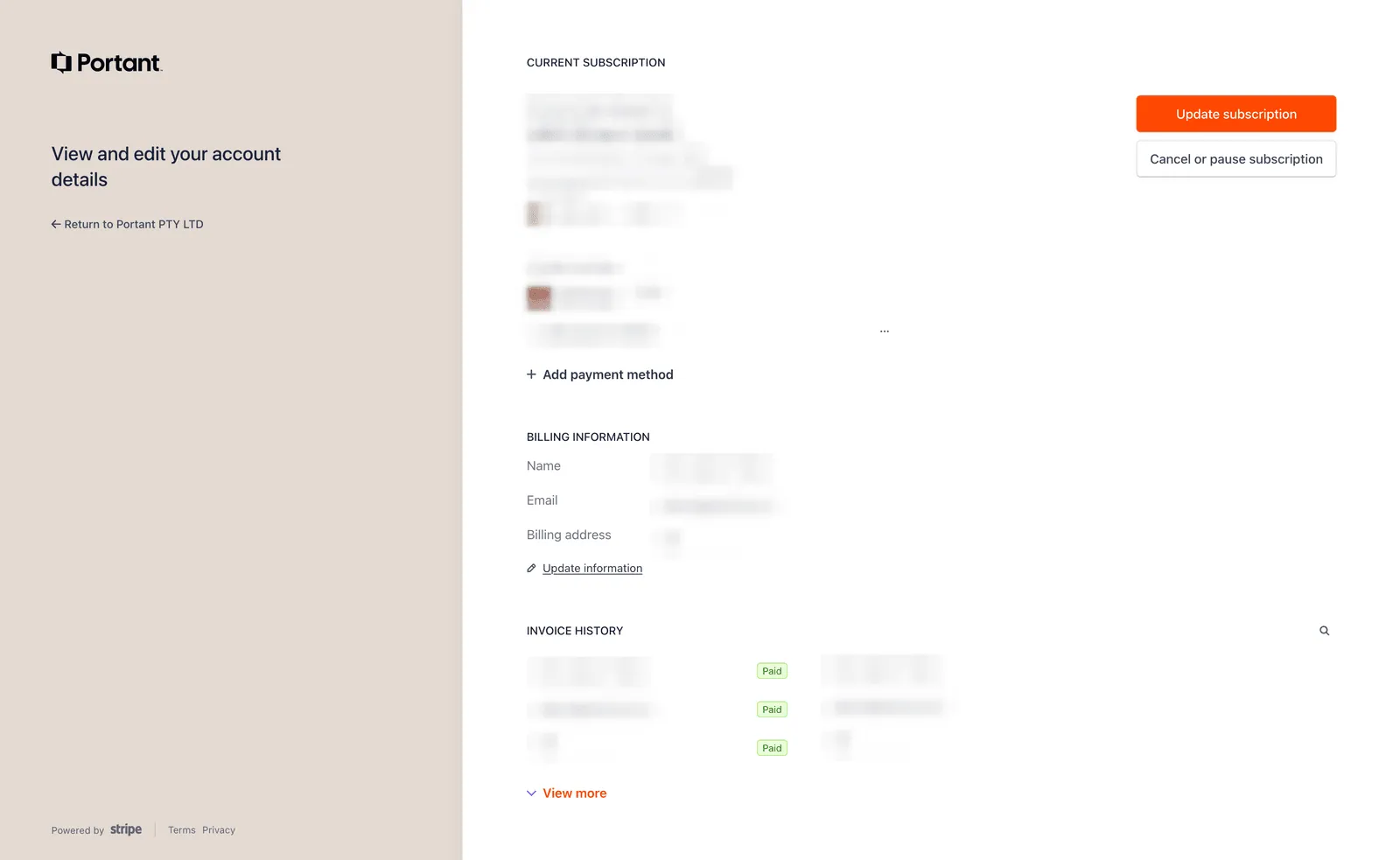
You keep access to your paid plan until the end of the current billing period. You are not charged again after that.
Pausing instead of cancelling. The same button lets you pause. If you are stopping for a quiet season rather than leaving, pausing keeps your workflows and settings in place without paying for the months you are not using.
If you cannot see the option, you are most likely on the Free plan already, or you are not the account owner. Only the Owner can manage billing. See Manage team permissions.
What happens after you cancel
- Your workflows are not deleted. At the end of the billing period the account moves to the Free plan, and your workflows stay where they are.
- Your documents stay in your own Drive. Portant generates files into your Google Drive or OneDrive, so cancelling does not remove them.
- Free plan limits apply again, including the monthly document allowance and the Portant watermark on PDFs. See Documents per month.
Cancelling your subscription is not the same as deleting your account. If you want your account and data removed entirely, see Delete your account.
If you are still being billed
Check whether you have more than one subscription. The Portant Workflow plan and the Portant Data Merge add-on are billed separately, each with its own entry in the billing portal. Cancelling one does not cancel the other, which is the most common reason a charge still appears after someone is sure they cancelled. Open the billing portal and check every subscription listed there.
Also check that you cancelled on the account that holds the subscription. Where a company has several Portant accounts, it is easy to cancel the wrong one, and the paid subscription may sit on an address you no longer use day to day.
Send us the invoice number and the email address on the invoice, and we will sort it out: open a support ticket.
Related
- Update billing: change plan, card, billing details, and invoices.
- Documents per month: what each plan includes.